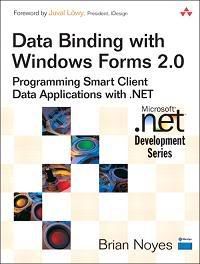
 Data Binding with Windows Forms 2.0 earns a gold star and a prized place in my development book library. Brian is an exceptional teacher of technology, best practices, and technique. He continues to educate at every presentation I attend; his book carries that quality to paper. I found this book to be highly informative and full of all the important steps and examples necessary to learn this technology. In this book, Brian demonstrates a firm grasp on the concepts and I really enjoy his efforts to promote best practices at every chance. Definitively a cover-to-cover read.Data binding is the most important part of many business applicationsand one of the most difficult things to understand. Data Binding with Windows Forms 2.0 is the first book to focus on this crucial area of development. It will quickly get you up to speed on binding data sources to Windows Forms components. The book contains clear examples in C# that work with SQL Server 2000 and SQL Server 2005. Visual Basic .NET examples are available on the book’s Web site.
This book is all about the what and the why of binding to data sources in a Windows Forms application built using Visual Studio 2005. The book goes into great detail in explaining the rationale behind the designer-generated code, recommends best practices, gives tips and tricks, demystifies the machine-generated code and how to extend it, and shows how to compensate for its limitations. Not only that, but this book also prepares you to unleash the power and user-friendliness of the smart client today and tomorrow. This book is your license to wizard, designed to make you the James Bond of data binding, and I think that says it all.
TABLE OF CONTENT:
Chapter 01 - Building Data-Bound Applications with Windows Forms
Chapter 02 - Working with Typed Data Sets and Table Adapters
Chapter 03 - Introducing Data Binding in Windows Forms
Chapter 04 - Binding Controls to Data Sources
Chapter 05 - Generating Bound Controls with the Visual Studio Designer
Chapter 06 - Presenting Data with the DataGridView Control
Chapter 07 - Understanding Data-Binding Interfaces
Chapter 08 - Implementing Custom Data-Bound Controls
Chapter 09 - Implementing Custom Data-Bound Business Objects and Collections
Chapter 10 - Validating Data Input and Handling Errors
Appendix A - Binding to Data in ASP.NET
Appendix B - Binding Data in WinFx Applications
Appendix C - Programming Windows Forms Applications
Appendix D - Accessing Data with ADO.NET
Download here
Password: ganelon

No comments:
Post a Comment